What Is a Micro Data Center? – Small Sites, Full Protection
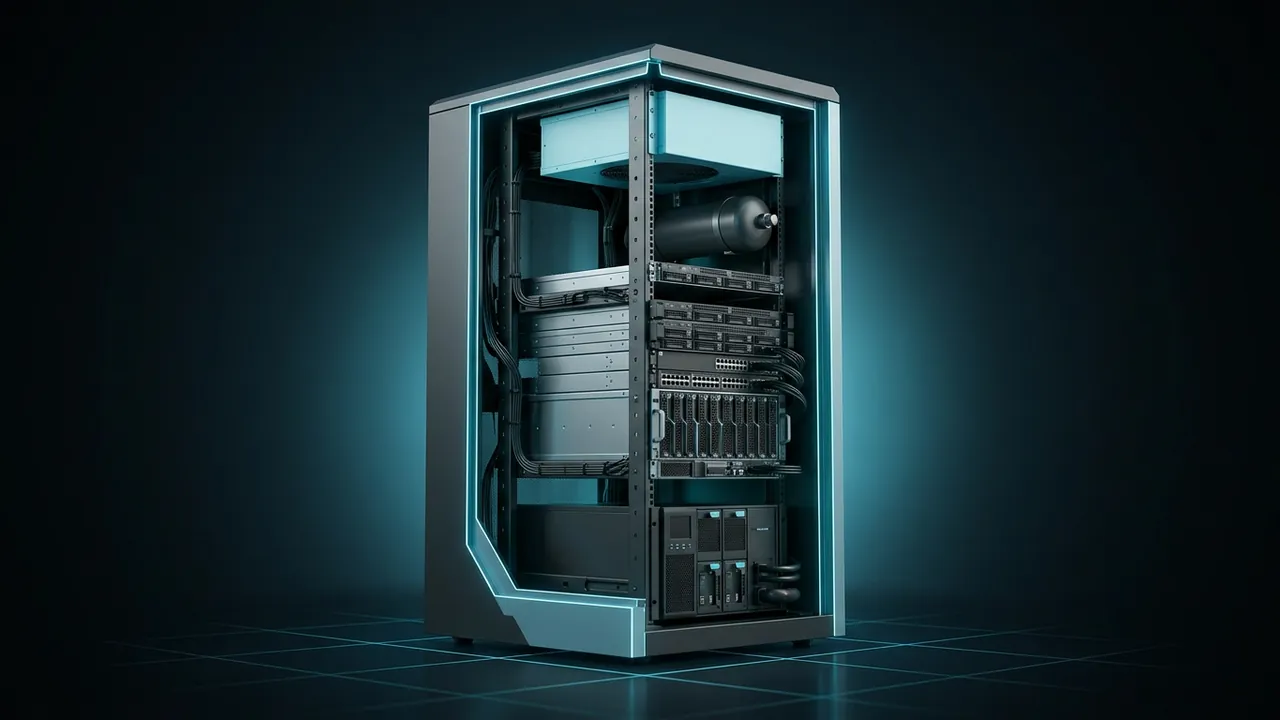
Not every site that needs computing can justify a computer room. A compressor station, a factory floor, a branch office or a remote substation may only need a rack or two of equipment. But that rack still needs clean power, cooling, fire protection and a lock, or it becomes the weakest link in the operation. That is the problem a micro data center solves. What is a micro data center, and when does it make sense?
A micro data center is a self-contained enclosure, from a wall-mounted cabinet to a few racks, that packages IT equipment together with its own power protection, cooling, fire suppression, environmental monitoring and physical security. It gives a small site the same basic protections a full data center provides, without building a dedicated room.
Most are factory-built and tested, then shipped ready to install, which cuts site work and schedule risk. IT loads usually range from a few kilowatts to a few tens of kilowatts. They are common at edge locations, such as remote industrial sites, retail stores, factories and telecom hubs, where data has to be processed close to where it is created.
What's Inside a Micro Data Center?
The parts mirror a big data center, just scaled down and packed into one box. A typical unit includes:
- Racks: standard 19-inch mounting space, from 6U in a wall cabinet up to one or more full 42U or 48U racks.
- Power: a UPS (uninterruptible power supply) to ride through outages and clean up dirty power, plus PDUs (power distribution units) that feed each device.
- Cooling: a built-in air conditioner, a closed-loop heat exchanger or a connection to building chilled water, depending on load and climate.
- Fire protection: smoke detection and often a clean-agent suppression system that does not damage electronics.
- Monitoring: sensors for temperature, humidity, leaks, door status and power, reporting to a remote dashboard.
- Security: locking doors, sometimes with card or PIN access and cameras.
- Sealing and filtration: gaskets and filters that keep dust and moisture out.
Vendors offer models in many sizes. Data Center Dynamics reported on Schneider Electric's 6U wall-mounted micro data center, part of a line that includes standard, commercial and rugged series with dust filters, cooling and management built in.
How Is a Micro Data Center Different From a Modular Data Center?
Mainly size and scope. A micro data center is one enclosure, usually one to a few racks, placed inside an existing building or a small shelter. A modular or containerized data center is a much larger factory-built unit, often a 20- or 40-foot container or a set of skids, holding many racks and serving hundreds of kilowatts or more.
| Feature | Micro data center | Modular or container data center | Traditional computer room |
|---|---|---|---|
| Size | Wall cabinet to a few racks | Container or skid, many racks | A room or building |
| Typical IT load | A few kW to tens of kW | Hundreds of kW and up | Any |
| Build time | Weeks | Months | Months to years |
| Where it goes | Inside an existing space | Outdoors on a pad | Purpose-built space |
| Best fit | Edge sites, branches | Remote or fast-track capacity | Large central IT |
If your project needs more than a handful of racks, our guide to modular data centers covers the larger prefab options.
How Do You Size One?

Start with the IT load, because everything else follows from it. Every watt the equipment draws becomes heat that the cooling system has to remove, and the UPS has to carry that same load during an outage.
Worked example for a single-rack unit:
- IT load: 6 kW of servers, storage and network gear
- Heat to remove: 6,000 W × 3.412 = about 20,500 Btu per hour
- Cooling: 20,500 ÷ 12,000 Btu per ton = about 1.7 tons, so pick a unit rated above that with margin for hot days
- UPS: rated above 6 kW, with battery for the ride-through you need, for example 10 minutes to let a generator start or to shut down cleanly
- Battery energy for 10 minutes: 6 kW × (10 ÷ 60) h = 1 kWh delivered, plus allowance for inverter losses and battery aging
Leave headroom. Equipment gets added over the years, and a cabinet running at its cooling limit on day one will be in trouble on the first hot afternoon after an upgrade.
Where Do Micro Data Centers Make Sense?
Anywhere data needs local processing but a full computer room would be overkill. Common examples include:
- Remote industrial sites, such as compressor stations, gas plants and mine sites, that run local control, historians and video.
- Factories that need computing next to production lines, often in dusty or hot areas.
- Retail stores and branch offices that run point-of-sale, security and local applications.
- Telecom and utility hubs that aggregate traffic from nearby sites.
- Temporary sites, such as large construction projects, that need IT for a few years.
What Changes at a Remote or Off-Grid Site?
Three things get harder: power, cooling and connectivity.
Power may come from a generator, solar and batteries, or a weak rural line, so the UPS and power conditioning do more work. Size the upstream supply for the full load plus cooling, not just the servers. Cooling has to handle the local climate in an enclosure that may sit in an unconditioned steel building, and rugged models with sealed cooling loops keep dust and corrosive gas off the boards.
Connectivity is often the reason the micro data center is there in the first place. If the only link is satellite, round trips to a distant server can be slow, so local processing keeps control screens and video responsive. Our guide to satellite latency explains why the orbit matters and how much delay to expect.
What Drives the Cost of a Micro Data Center?
The enclosure is only part of the bill. Prices vary widely by vendor and options, so focus on what moves the number:
- Cooling type and capacity, since a built-in air conditioner rated for a hot shelter costs far more than a fan and filter.
- UPS size and battery runtime, especially if you want lithium-ion batteries or long ride-through.
- Ruggedization, such as sealed cooling loops, corrosion-resistant coatings and higher ingress ratings.
- Redundancy, because a second cooling unit or UPS module adds cost and space.
- Monitoring, access control and fire suppression options.
- Site work: electrical feeds, a generator connection, a shelter or slab, and the network link.
Compare total installed cost, not the catalog price. A cheaper cabinet that needs a custom room built around it can end up costing more than a unit that arrives ready to plug in.
What Should You Check Before Buying?
A short checklist prevents most regrets:
- Confirm the IT load today and in five years, then size cooling and UPS with margin.
- Check the room or shelter conditions: peak temperature, dust, moisture and gases.
- Decide on redundancy. A single cooling unit is simple, but a second unit (N+1) keeps the site running if one fails.
- Make sure monitoring works over your actual link and alerts the right people.
- Plan service access: filters, batteries and cooling units need regular attention.
- Ask about factory testing, delivery time and who installs and commissions it.
Schedule-wise, a standard unit can arrive in weeks. Custom or rugged versions take longer, and the electrical work to feed it is often what slips, so get that design started early.
A Micro Data Center Is a Data Center That Fits Where the Work Is
Think of a micro data center as a complete, protected home for a small amount of IT, with power, cooling, fire suppression, monitoring and security in one factory-built enclosure. It brings data center discipline to places that could never justify a computer room.
It makes the most sense where data must be processed on site and the environment is less than friendly. Size it from the IT load, give it real headroom, and plan the power and connectivity around it.
Add up the watts of everything that will live in the cabinet, today and five years out. That one number sets the enclosure, the cooling and the UPS, and it is the first thing any vendor will ask you for.